Building Symulation: An Interactive C++ Simulation Lab
Introduction
Symulation started as a practical way to bring several numerical experiments into one place. I wanted a desktop application where I could switch between physical models, adjust parameters directly, and immediately see how the simulated system responds.
The goal was not to build a production-grade solver suite. It was to build an interactive engineering lab: small enough to inspect, fast enough to experiment with, and structured enough to document publicly.
What Symulation Is
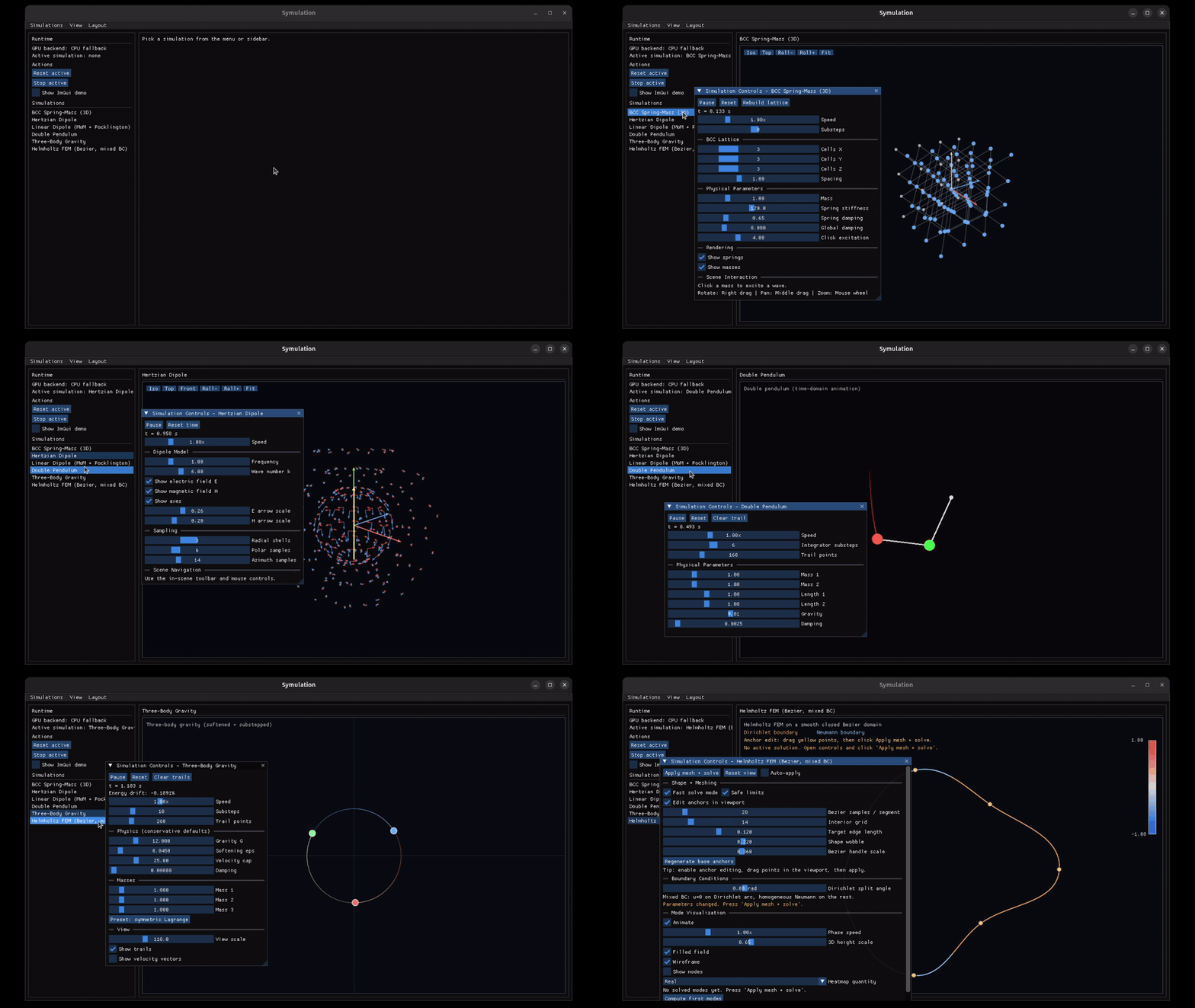
Symulation is a native C++17 simulation playground for physics, electromagnetics, and numerical visualization. It combines a shared application shell with multiple simulation modules, each focused on a specific model or numerical workflow.
The project uses real-time GUI controls, animated visualization, and module-specific plots to make each model easier to explore. Some modules are visual demonstrations, while others include compact numerical pipelines such as dense linear solves, triangulation, or finite-element eigenmode assembly.
The common thread is interactivity: change a parameter, rebuild or recompute when needed, and inspect the result visually.
The Six Modules
BCC Spring-Mass Lattice
This module models a three-dimensional body-centered cubic spring-mass lattice. A user can inject a local impulse into the structure and watch the disturbance propagate through damped spring connections.
It is useful for exploring how stiffness, damping, mass, spacing, substeps, and fixed boundaries affect wave-like motion in a discrete mechanical system.

Hertzian Dipole Field Visualization
The Hertzian dipole module visualizes an idealized oscillating dipole and sampled electric and magnetic field directions around it.
This is a field-visualization demo rather than a full electromagnetic solver. It focuses on angular pattern, phase progression, and transverse E/H direction intuition.
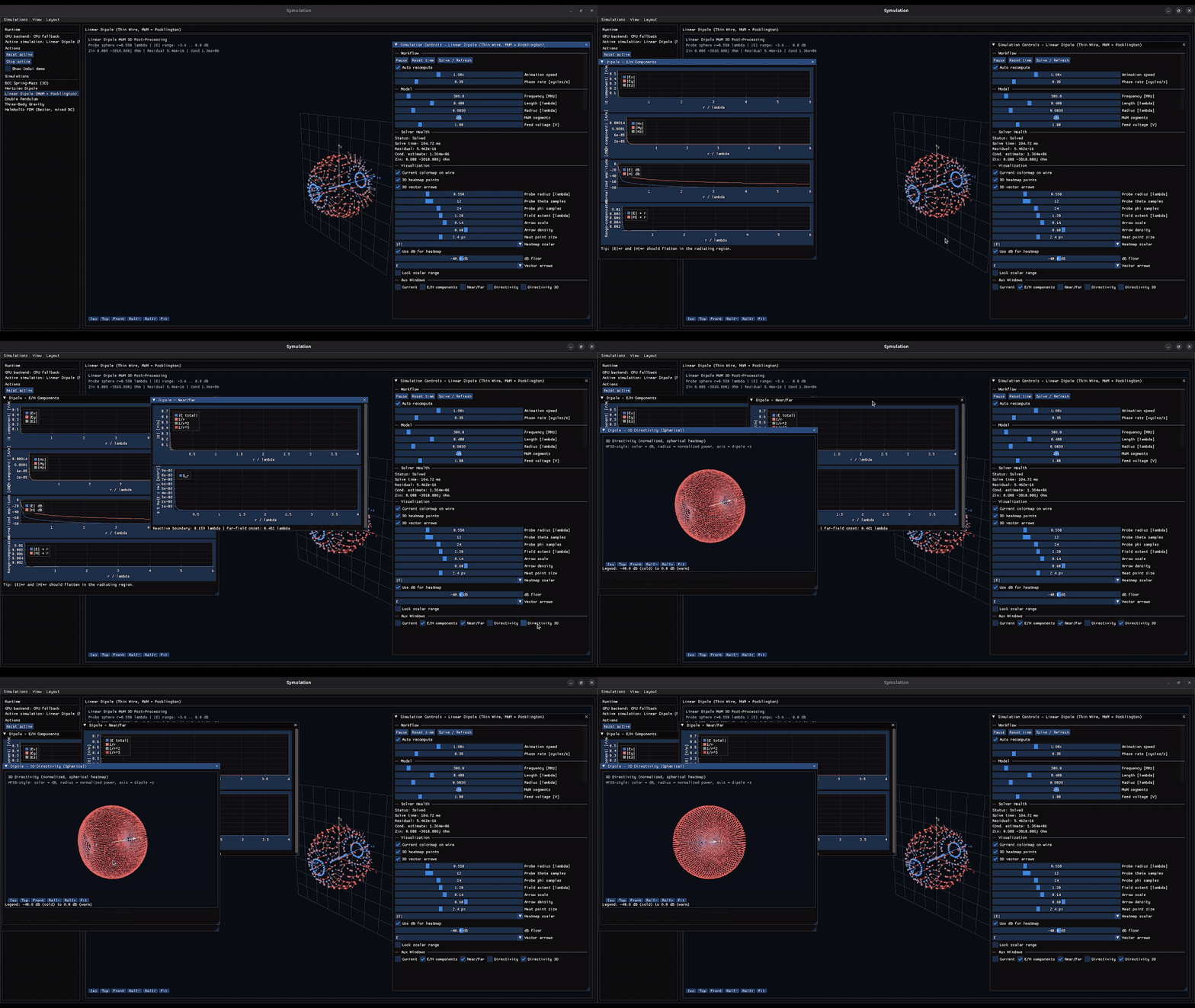
Linear Dipole MoM + Pocklington Demo
This module models a center-fed thin-wire dipole with a compact Method of Moments-style workflow inspired by Pocklington-type behavior. It assembles a dense complex system, solves for a segment current distribution, and visualizes current, field, impedance, near/far trends, and directivity-style views.
The implementation is intentionally educational and inspectable. It does not claim the validation level of NEC, HFSS, CST, or measured antenna data.
Double Pendulum
The double pendulum module demonstrates nonlinear coupled motion using two rigid links and two point masses in a vertical plane.
It includes direct manipulation, damping, trails, reset controls, and adjustable integration substeps. The emphasis is visual intuition for sensitive dynamics, not formal chaos analysis.
Three-Body Gravity
The three-body module simulates three softened point masses moving under mutual gravitational attraction. It includes trails, velocity vectors, a symmetric preset, and an energy drift readout.
Because the module includes damping, softening, velocity caps, and interactive controls, it should be understood as an orbital dynamics demo rather than a validated precision orbit solver.
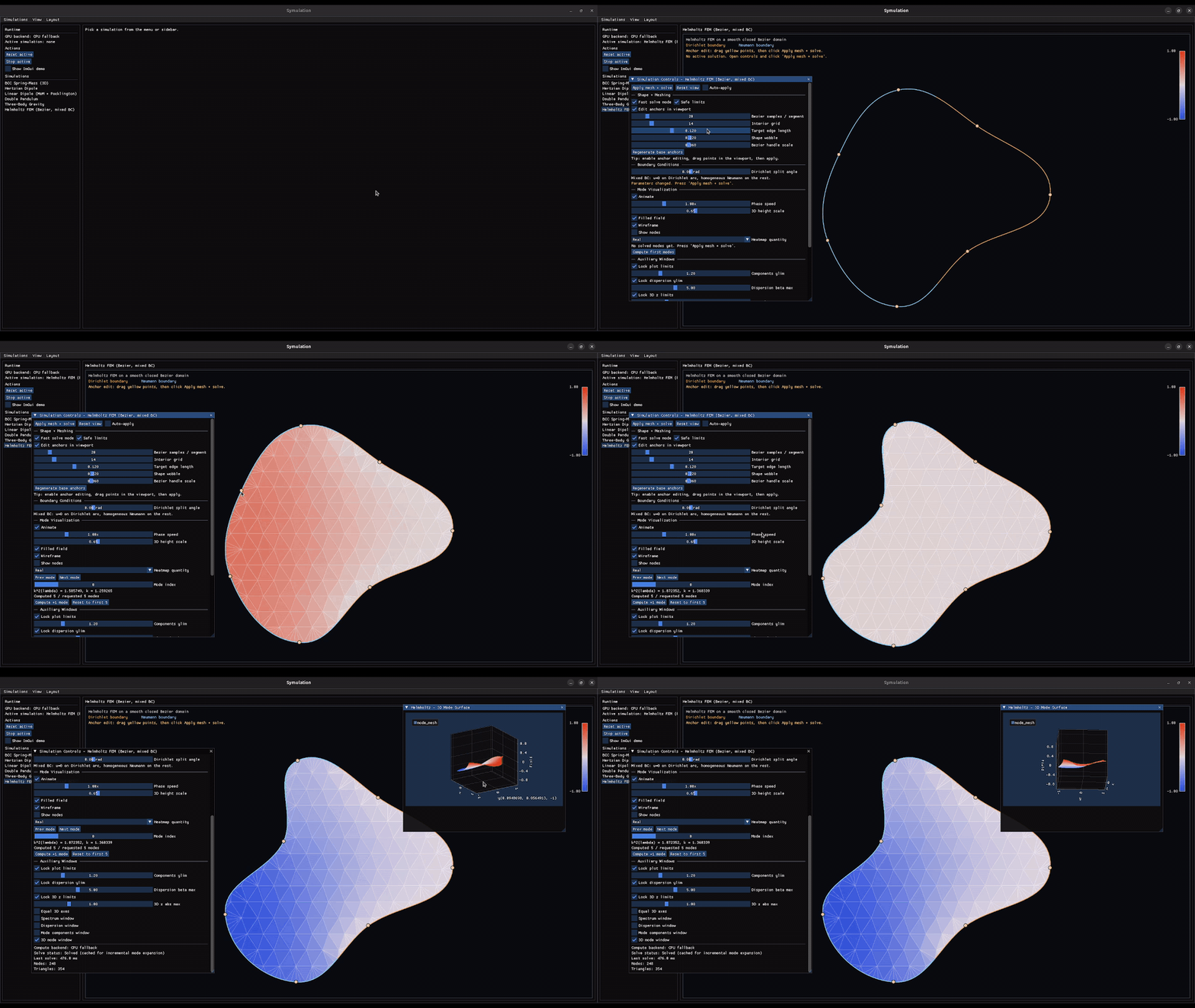
Helmholtz FEM on Editable Bezier Domains
The Helmholtz FEM module builds a small eigenmode workflow around editable closed Bezier domains. It samples the boundary, creates a constrained triangulation, applies mixed boundary conditions, assembles linear triangular FEM matrices, and solves a generalized eigenvalue problem.
This module is the closest part of Symulation to a compact computational-engineering pipeline. It makes geometry, meshing, boundary classification, eigenmodes, and visualization visible in one interactive loop.
Technical Stack
Symulation is built as a native C++17 desktop application. The main stack includes:
- C++17 for the application and simulation modules
- CMake for local builds
- raylib and OpenGL for the native windowing/rendering foundation
- ImGui for the immediate-mode user interface
- ImPlot and ImPlot3D for plots and 3D mode views
- Eigen for linear algebra and eigenvalue routines
- CGAL for constrained Delaunay triangulation in the FEM module
The architecture uses a shared simulation interface so modules can be registered, activated, reset, updated, and drawn through the same application shell.
What I Learned
Building Symulation taught me that public engineering projects need more than working code. They need boundaries, documentation, and honest presentation.
Some of the most valuable work was not adding another feature, but making the project understandable: writing module notes, recording short demos, cleaning the build path, organizing dependencies, and describing what each module does and does not validate.
It also reinforced the value of interactive tools for numerical learning. A parameter slider, a solve button, or a live plot can reveal behavior that is easy to miss in a static script.
Limitations and Validation
Symulation is an interactive simulation lab, not a production-grade solver suite.
The modules are designed for exploration, visualization, and portfolio-quality engineering demonstration. They include useful numerical ingredients, but they do not include the full validation workflow expected from professional simulation software.
Examples of current limitations include simplified field models, compact dense linear solves, simple integration paths, practical stability safeguards, and limited external benchmarking. The FEM module is interactive and educational, but it is not a general PDE framework. The antenna modules are useful demonstrations, but they should not be treated as replacements for validated electromagnetic solvers.
That honesty is part of the project. Symulation is meant to show how numerical models can be built, parameterized, visualized, and documented in a clean public C++ project.
GitHub
The project is public here: